

CCTV Cabling Guide: Cat6 vs Coaxial, Distances and Good Practice
Quick answer
Cabling is the part of CCTV you can't easily change later. Choose the right cable type and install it properly the first time.
By ITvein TeamPublished Updated 2 min read
Cameras can be replaced in minutes. Cables buried in walls and ceilings are hard to change. Good cabling is therefore one of the best long-term investments in a CCTV system.
Cat6 for IP cameras
IP cameras use network cable. Cat6 is the common choice today; Cat5e also works for cameras.
- Distance: 100 m maximum per run (including patch leads).
- Power: carries PoE. See PoE explained.
- Choose solid copper, not copper-clad aluminium (CCA). CCA cables are cheaper but cause PoE problems and break more easily.
- Outdoor-rated cable (UV-resistant jacket) for exposed runs.
Coaxial for HD analog cameras
HD analog cameras use coaxial cable, typically RG59 with a built-in power pair ("siamese" cable).
- Distance: HD analog formats can travel a few hundred metres on good-quality RG59, depending on format and resolution; check the camera's specification.
- Connectors: BNC connectors for video; DC jacks for power. Use good-quality, properly crimped connectors.
- Upgrading old systems: existing coax can often be reused with HD analog cameras, saving labour.
Analog cameras can also run over Cat6 using video baluns, which is handy when you want one cable type throughout the building.
Which should you choose?
| Situation | Cable |
|---|---|
| New IP camera system | Cat6 solid copper |
| Upgrading old analog CCTV | Reuse coax with HD analog |
| Long runs over 100 m | Coax (analog), or switch/fibre (IP) |
| Future flexibility | Cat6 (works for IP and, with baluns, analog) |
Installation good practice
- Use conduit or trunking outdoors and where cables can be damaged. PVC conduit protects against sun, rodents and accidents.
- Keep distance from power cables where possible to reduce interference, and never share a conduit with mains wiring.
- Use junction boxes at outdoor cameras to protect connectors from water.
- Leave a service loop (a little extra cable) at each end for future re-termination.
- Label both ends of every cable (for example "CAM 03 – Gate").
- Test each run before closing walls or ceilings.
- Avoid sharp bends and over-tight cable ties.
- Seal wall entries to stop water and insects.
Between buildings
For runs between buildings, consider fibre optic cable. It isn't affected by lightning-induced surges along the cable and supports long distances. Otherwise, use surge protection at both ends. See surge and earthing protection.
Racks and tidy endings
In offices and larger systems, terminate cables on a patch panel in a rack with the recorder and switches. It makes changes and troubleshooting much easier. See structured cabling basics.
Frequently asked questions
Can I run CCTV cable alongside electrical wires?
Avoid it. Running data cable in the same conduit as mains power is unsafe and causes interference. Use separate routes or conduits.
Is Cat6 better than Cat5e for cameras?
For cameras alone, both work. Cat6 is the standard choice for new installations and gives more headroom for other network uses.
Why is my coax camera picture rolling or noisy?
Usually poor connectors, damaged cable, a cable run too close to power lines or an underpowered supply. Check connectors and power first.
Want advice for your own site?
Send photos and your requirements — we reply with an itemised quotation.
Products mentioned in this guide

Cisco
Cisco Linksys E4200 Dual-Band Wireless-N Router 140 channel
In stock
Price range PKR 4,500–6,000
Price confirmed on WhatsApp

Cisco
Cisco SF100D-16-Port 10/100 Desktop Unmanaged Switch
In stock
Price range PKR 5,000–8,000
Price confirmed on WhatsApp

Dahua
Dahua DH-CS4006-4ET2GT-36 6-Port Managed PoE Switch | 4 PoE, 2 Gigabit Uplink
In stock
PKR 8,650
Dahua
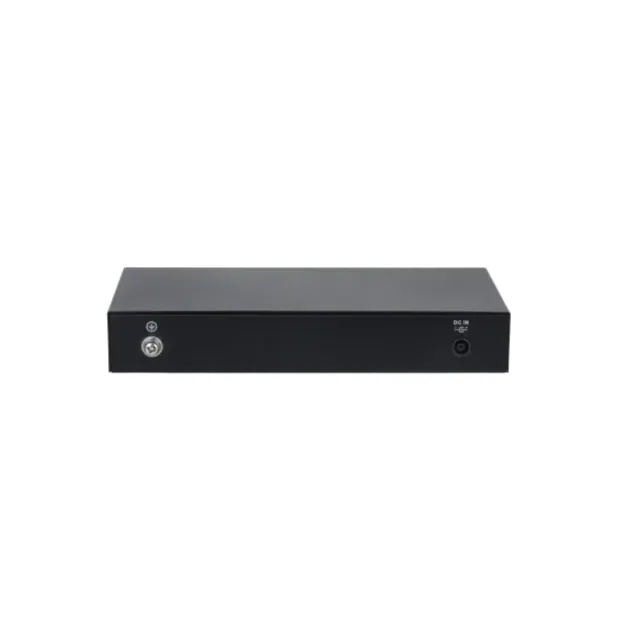
Dahua CS4010-8ET-60 10-Port Cloud Managed PoE Switch | 8 PoE Ports, 2 Uplink
In stock
PKR 15,050