
DVR vs NVR vs XVR: Which CCTV Recorder Do You Need?
Quick answer
The recorder is the heart of a CCTV system. Learn how DVRs, NVRs and hybrid XVRs differ and which one matches your cameras and plans.
By ITvein TeamPublished Updated 2 min read
Every wired CCTV system needs a recorder to store video and give you access on a monitor and phone. The three main types are DVR, NVR and XVR. The right one depends mostly on the cameras you use.
DVR (Digital Video Recorder)
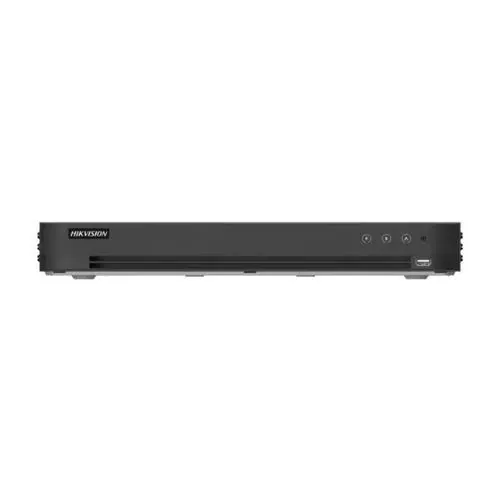
A DVR records analog cameras connected by coaxial cable. Inside, the DVR converts the analog signal to digital and compresses it. Modern DVRs support HD analog formats at 2MP, 5MP and even 8MP.
Choose a DVR if: you are using HD analog cameras, especially when re-using existing coax cabling.
NVR (Network Video Recorder)
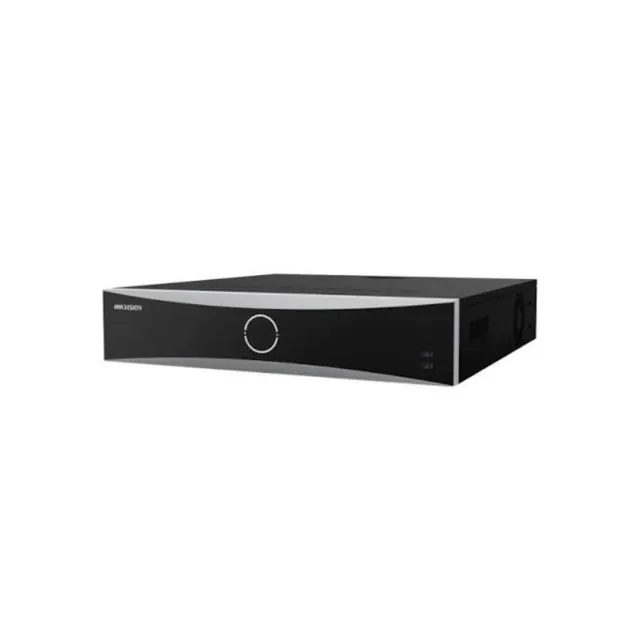
An NVR records IP cameras over a network. The cameras compress video themselves and send it to the NVR. Many NVRs have built-in PoE ports, so cameras plug straight in and receive power over the network cable.
Choose an NVR if: you are using IP cameras, want higher resolutions or advanced analytics, or plan a larger system.
XVR (hybrid recorder)
XVR (a Dahua term; other brands call it a hybrid or "Turbo HD" DVR) accepts several analog formats and a number of IP cameras. For example, an 8-channel XVR might take 8 analog cameras plus a few IP cameras.
Choose an XVR if: you have analog cameras today but want to add some IP cameras now or later.
Browse DVR/XVR recorders and NVR recorders.
What else to check on a recorder
- Channels: 4, 8, 16, 32 or more. Leave room to grow. See how many channels you need.
- Maximum resolution per channel: must match or exceed your cameras.
- Incoming bandwidth (NVR): the total Mbps it can receive from all cameras.
- Decoding capacity: how many high-resolution cameras it can show live at once.
- Hard drive bays and maximum capacity per drive. See CCTV storage calculation.
- PoE ports and power budget (NVR).
- Smart features: human/vehicle detection, line crossing, face or plate search on capable models.
- Outputs: HDMI/VGA for a monitor; audio; alarm inputs and outputs.
- Mobile app: the brand's app for remote viewing. See view CCTV on mobile.
Brand compatibility
Cameras and recorders from the same brand work best together, with full smart features and easier setup. IP cameras supporting ONVIF can usually record to another brand's NVR, but some features may not work.
Frequently asked questions
Can a DVR work without internet?
Yes. A DVR or NVR records locally to its hard drive without internet. Internet is only needed for remote viewing on a phone and for notifications.
Can I connect my NVR to a TV?
Yes, through HDMI. Most recorders also have VGA for older monitors.
What happens if the recorder is stolen?
Its recordings go with it. Place the recorder in a locked cabinet or hidden location, and consider a separate camera covering it. Some systems can also back up clips to cloud or another device.
Want advice for your own site?
Send photos and your requirements — we reply with an itemised quotation.