

Does Your Business Need a Router-Firewall? A Plain-English Guide
Quick answer
The router your internet provider gives you is built for homes. Here is what a business router or firewall adds and when it is worth it.
By ITvein TeamPublished Updated 2 min read
Most businesses start with the router their internet provider installs. It's fine for a few users, but as the business grows it becomes a bottleneck and a security weak point.
What a business router-firewall adds
Security
- Stateful firewall with clear rules.
- Intrusion prevention, malware and web filtering on many models (sometimes as a subscription).
- Regular firmware updates from the vendor.
Multi-WAN and failover
Connect two internet lines from different providers. If one fails, traffic moves to the other automatically, or both are used together for more capacity. Useful where internet outages affect sales, payments or operations.
VPN
- Remote access VPN for staff working from home.
- Site-to-site VPN to connect branches or a warehouse to the office.
VLAN and network segmentation
Separate staff, guests, CCTV and phones with rules between them. See separate CCTV network.
Visibility and control
See which devices and applications use bandwidth, limit heavy users, and log events.
Signs you need one
- More than 10–15 users.
- Guest Wi-Fi for customers or visitors.
- Staff need remote access to office files or systems.
- You have branches, a warehouse or remote cameras.
- Internet downtime costs you money.
- You handle sensitive customer data.
Choosing a model
- Throughput: with security features turned on, not just the headline number.
- WAN ports: at least two for failover.
- VPN capacity: number of users and tunnels.
- Management: web interface or cloud dashboard.
- Licences: what features need a subscription.
Browse routers and firewalls or read small office network planning.
Common setups
Single office, one internet line: business router-firewall replacing or sitting behind the ISP router; separate staff and guest networks; VPN for the owner.
Office with critical internet: two lines from different providers in failover mode. When fibre from one provider goes down, card payments, email and cloud systems continue on the second line.
Office plus warehouse: a router-firewall at each site with a site-to-site VPN, so the warehouse NVR, stock system and printers are reachable from the office as if they were local. See CCTV for warehouses.
Mistakes to avoid
- Leaving the default admin password on the router.
- Opening router ports to cameras or recorders for remote viewing instead of using the manufacturer app or a VPN. See secure your CCTV system.
- Buying a firewall based on its maximum throughput with all security features turned off.
- Forgetting to renew security subscriptions where features depend on them.
- Not putting the router and ONT on a UPS, which takes the whole office offline during load-shedding.
Getting it configured
Configuration matters as much as the hardware. Our networking and Wi-Fi service covers router-firewall setup, VPN and failover in our service cities.
Frequently asked questions
Can I keep my ISP router?
Often yes, in bridge mode or as a simple modem in front of the business router. Your installer can configure this.
Is a firewall necessary if I have antivirus?
They do different jobs. Antivirus protects individual computers; a firewall protects the whole network edge and controls traffic between segments.
Does failover need two different internet providers?
For real resilience, yes. Two lines from the same provider can fail together.
Want advice for your own site?
Send photos and your requirements — we reply with an itemised quotation.
Products mentioned in this guide

Cisco
Cisco 1941-SEC/K9 Integrated Services Security Router
In stock
Price range PKR 18,000–25,000
Price confirmed on WhatsApp

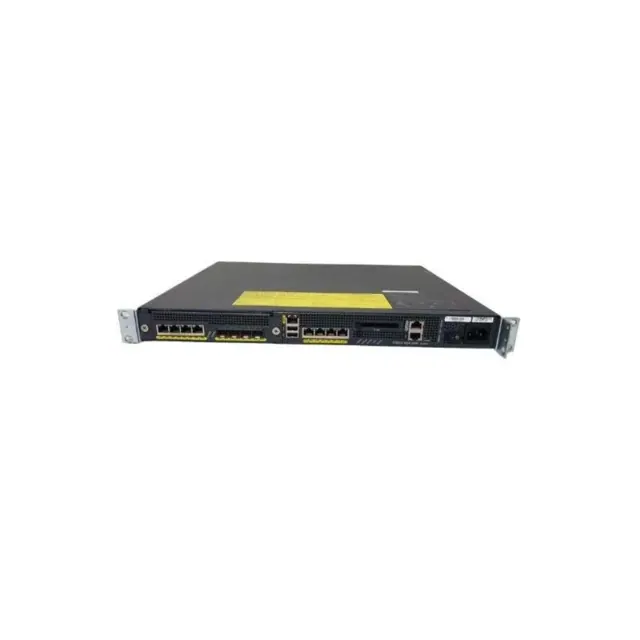
Cisco
Cisco ASA 5500 Series Adaptive Security Appliances 8x GE 4x SFP Firewall
In stock
Price range PKR 50,000–100,000
Price confirmed on WhatsApp