
Access Control for Offices: Cards, Fingerprints and Face Recognition
Quick answer
Access control decides who can enter which doors and when, and keeps a record. Here is how to plan a system for an office or business.
By ITvein TeamPublished Updated 2 min read
Keys are hard to control: they get copied, lost or not returned when staff leave. Electronic access control replaces keys with credentials that can be added, limited and removed instantly.
The components
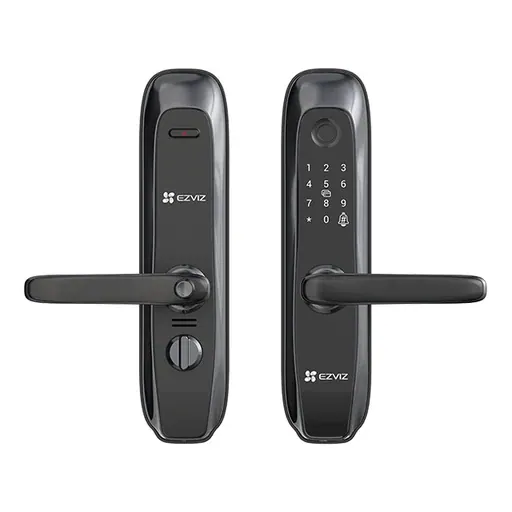
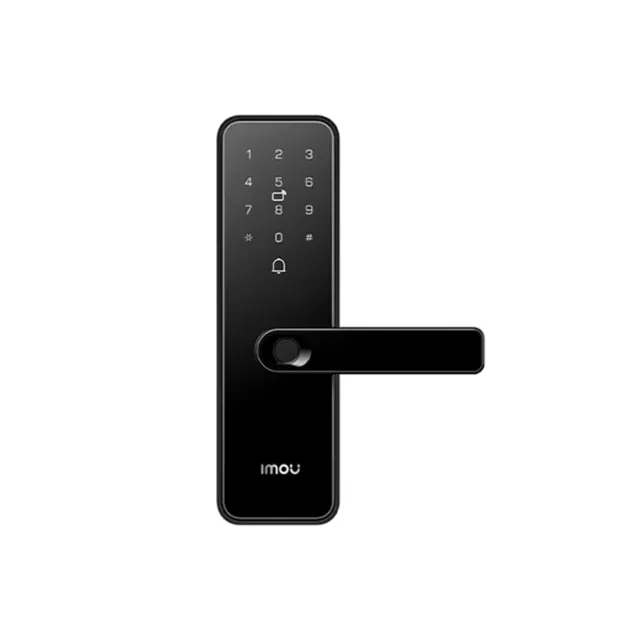
- Reader or terminal at the door: card, PIN, fingerprint, face, or a combination.
- Controller: decides whether to unlock (often built into standalone terminals).
- Electric lock: magnetic lock (maglock), electric strike or electric bolt.
- Exit button on the inside, plus emergency release.
- Power supply with battery backup.
- Software or app for managing users, schedules and logs.
Credential types
| Credential | Strengths | Considerations |
|---|---|---|
| RFID card/fob | Cheap, fast, easy to issue | Cards can be shared or lost |
| PIN | No hardware to carry | Codes get shared |
| Fingerprint | Can't be lent easily | Dirty or worn fingers |
| Face recognition | Touchless, fast | Lighting and placement matter |
| Mobile credential | Convenient | Depends on phones and app |
Many offices use card plus PIN or biometrics at sensitive doors.
Lock types
- Maglock: strong, simple, needs power to stay locked (fail-safe) — common on glass doors.
- Electric strike: works with an existing lock; can be fail-safe or fail-secure.
- Electric bolt: for glass or frameless doors.
Fire safety
Doors on escape routes must allow people to exit safely in an emergency. Use fail-safe locks where required, provide exit buttons and an emergency break-glass release, and follow building and fire safety requirements. Get advice for your specific building.
Attendance
Many access terminals also record attendance (time in/out) and export reports. This is useful, but agree clear policies with staff.
Planning steps
- List doors and who needs access to each.
- Define schedules (office hours, weekends).
- Choose credential type per door.
- Check door construction for lock compatibility.
- Plan power backup and cabling.
- Decide who administers users and how leavers are removed.
- Integrate with CCTV to record faces at entry points.
Our access control and smart security service and office solutions cover supply and installation in our service cities. Browse access control products.
Standalone terminals or networked systems?
Standalone terminals store users and logs in the device at each door. They're economical for one to three doors and are managed at the device or through an app.
Networked systems connect all doors to central software. Add or remove a user once and it applies to every door; view logs and attendance for the whole building; set different schedules per department.
As a rule, two or three doors can work standalone, while multi-floor offices, schools and sites with frequent staff changes benefit from a networked system.
Common mistakes
- Choosing a lock that doesn't suit the door (for example, a maglock on a door that doesn't close reliably).
- No battery backup, so doors fail during load-shedding.
- Forgetting the exit side: every controlled door needs a safe way out.
- Not assigning anyone to remove leavers promptly.
- Placing a face terminal facing a bright window, which affects recognition.
Pair access control with cameras at each controlled door; see CCTV for offices.
Frequently asked questions
What happens to access control during a power cut?
With battery backup the system keeps working. Without it, fail-safe locks unlock and fail-secure locks stay locked — plan this carefully for safety and security.
Can access control work with existing doors?
Usually yes, with the right lock type. Glass, wooden and metal doors each need suitable hardware.
How do I remove access when someone leaves?
Delete or disable their credential in the system immediately. That is one of the main advantages over keys.
Want advice for your own site?
Send photos and your requirements — we reply with an itemised quotation.