

CCTV for Shops and Retail Stores: A Practical Setup Guide
Quick answer
Shops need clear faces at the entrance, a sharp view of the cash counter and coverage of stock. Here is a practical camera plan for retail.
By ITvein TeamPublished Updated 2 min read
In a shop, CCTV does several jobs at once: deterring theft, resolving disputes at the counter, monitoring stock and watching the premises after hours. A good plan covers each of these.
1. Entrance (identification)
Place a camera inside, facing the door, to capture the face of everyone who enters. Mount at about 2.5 m with a 2.8–4 mm lens. Backlight from a bright doorway can darken faces; choose a camera with good WDR (wide dynamic range).
2. Cash counter
Mount a dome or turret above and slightly in front of the counter to see:
- The cash drawer and transactions.
- The customer's face.
- Items being handed over.
A second camera from behind the customer can show the cashier's actions if needed. Inform staff where cameras are.
3. Shop floor and aisles
Wide-angle domes in corners cover aisles and displays. In long shops, cameras at both ends avoid blind spots. Watch high-value displays closely.
4. Stock room and back door
Back doors and stock rooms are common points of loss. A camera on the back door and one in the stock room record deliveries and movements.
5. Outside: shutter and frontage
A weatherproof camera outside covering the shutter and frontage records after-hours attempts. Choose colour or hybrid night vision for better evidence. See night vision guide.
Recording settings
- Continuous recording for entrance and counter cameras.
- Smart events after hours with phone alerts for intrusion.
- 15–30 days of storage is common. See storage calculation.
Remote monitoring
Owners often watch from their phone. Share limited access with managers. See view CCTV on mobile.
Power and security of the recorder
- Keep the recorder locked away, not on the counter.
- Put it and the router on a UPS. See CCTV during load-shedding.
Typical shop plan
| Shop size | Cameras |
|---|---|
| Small counter shop | 4: entrance, counter, floor, outside |
| Medium store | 8: add stock room, back door, aisles |
| Large store | 12–16+, custom design |
See our shops and retail solution and CCTV installation service, or request a quotation through the quote form.
Mistakes shops often make
- Counter camera mounted directly above the till, showing only the tops of heads. Mount slightly in front so faces and hands are visible.
- Entrance camera facing a bright doorway without WDR, turning faces into silhouettes.
- Recorder on the counter where it can be taken in a robbery.
- No camera on the back door, which is often where stock leaves.
- Wrong time and date, which makes footage less useful as evidence.
- No backup power, so the system stops during load-shedding.
Using footage effectively
Train the owner and one trusted manager to search playback by time and camera, export a clip to USB and share it securely. Keep a simple log of incidents with the date, time and camera. If you add sensors for after-hours alerts, see smart alarm sensors.
Frequently asked questions
Do I need to tell customers about CCTV?
Displaying a clear CCTV notice is good practice; it informs customers and deters theft.
Can CCTV help with cash disputes?
Yes, if the counter camera clearly shows transactions and time is set correctly.
Should shop cameras record audio?
Audio recording raises privacy concerns and may be subject to legal requirements. Most shops record video only. Seek advice before enabling audio.
Want advice for your own site?
Send photos and your requirements — we reply with an itemised quotation.
Products mentioned in this guide

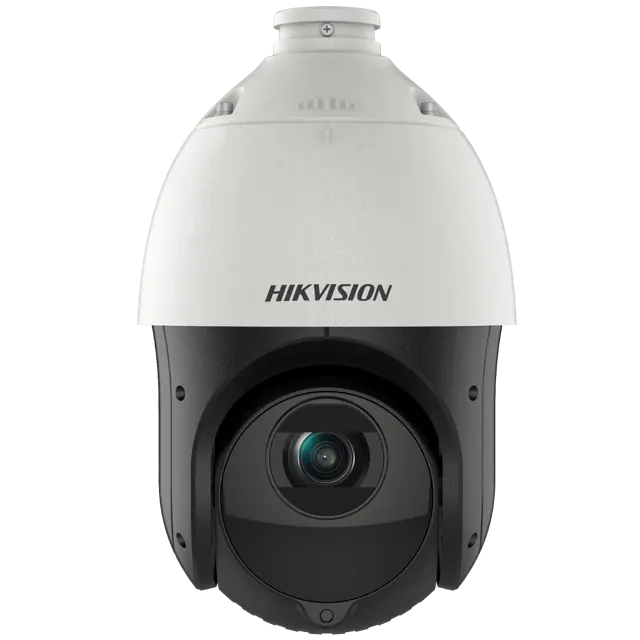
Hikvision
Hikvision DS-2DE4225IW-DE 2MP 25× Optical Zoom Network IR PTZ Speed Dome
In stock
PKR 95,000


Dahua
Dahua CCTV HAC-HDW1500CLQ-IL-A 5MP Smart Dual Light HDCVI Fixed-focal Eyeball Colour Camera
In stock
PKR 6,500